Brand Logo

Install guide

Start with a controlled environment and a narrow task

This page is documentation, not a sales form. Review the package, permissions, credentials, and data path before moving from an isolated test to a production workflow.

Terminal installation guide and permission checklist

Installation information

Before you run

Confirm Node and npx availability in the intended AI-agent runtime. Inspect the package name, registry provenance, current version, and the terminal prompts. Use an isolated environment for the first execution. Your organization may require package allowlisting or a security review before installation.

Credentials and permissions

Configure only sources needed for the first task. Store API keys in the runtime’s secret manager, restrict scopes, and never place credentials in prompts or exported files. Record which connectors can read, write, retain, or transmit data. Verify provider terms and rate limits independently.

Update and removal

Use package-manager and runtime documentation to review updates and remove the installed skill. Revoking provider keys is a separate step. Deleting the package may not remove exported results, CRM records, logs, caches, or data retained by third-party services; map those locations before testing.

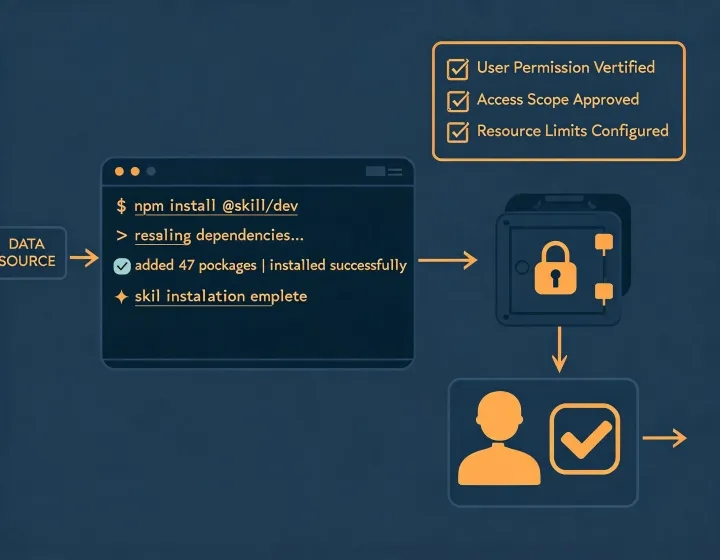
First-run checklist

  1. Copy the command without a shell prompt or extra characters.
  2. Run it in the terminal attached to your chosen agent environment.
  3. Read the requested actions and stop if the package or permission differs from expectation.
  4. Configure a low-privilege test credential if a provider is required.
  5. Ask for a small sample using explicit ICP criteria and exclusions.
  6. Review source links, retrieval timing, uncertainty, and inferred fields.
  7. Do not authorize automatic outreach during initial evaluation.

Copy the installer when your review is complete

The button copies the command only. It does not execute software or modify your environment.

npx -y @okki-global/okki-go-taroball